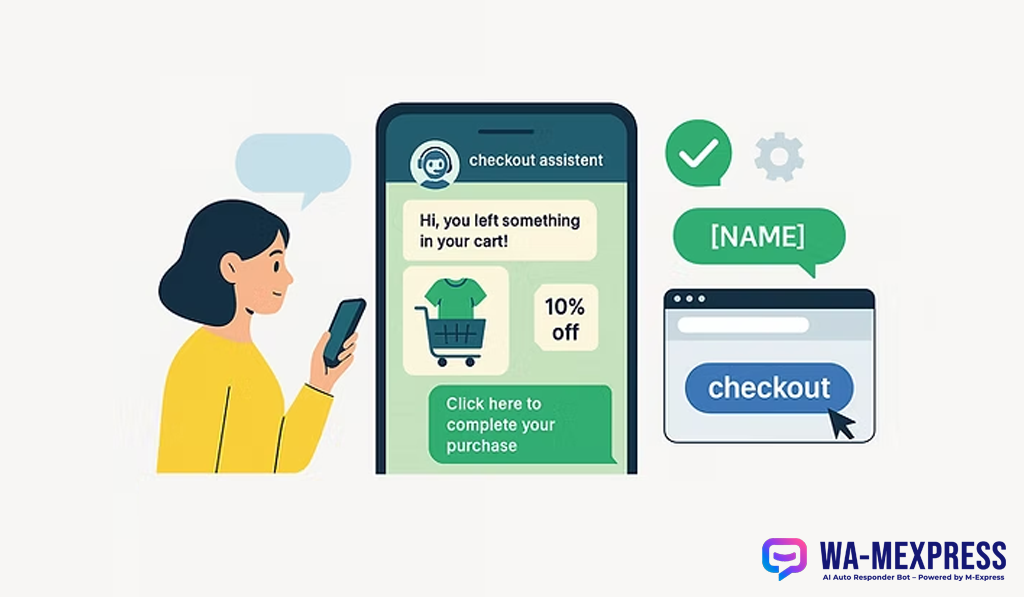

How to Connect Your WooCommerce Store to WhatsApp
Unlock the power of instant communication by sending automated WhatsApp notifications for every WooCommerce order. This guide will walk you through the simple process of exporting and configuring our dedicated WordPress plugin.
In today's fast-paced world, keeping your customers informed is key to building trust and satisfaction. With the WA-MExpress WhatsApp plugin for WooCommerce, you can automatically send order updates directly to your customers' phones, reducing anxiety and improving their overall experience.
This guide will show you exactly how to get started in just a few simple steps.
1Create an App in WA-MExpress
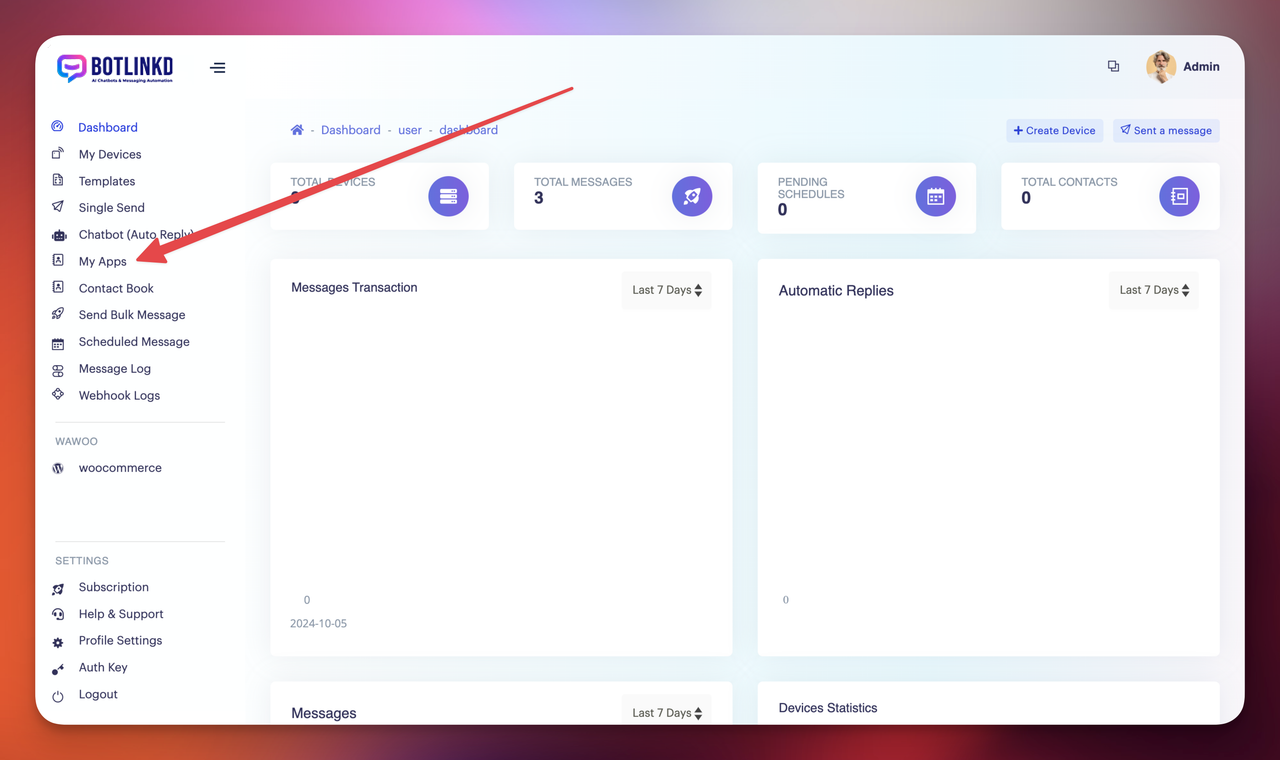
Log in to your WA-MExpress account and navigate to Userend → My Apps.
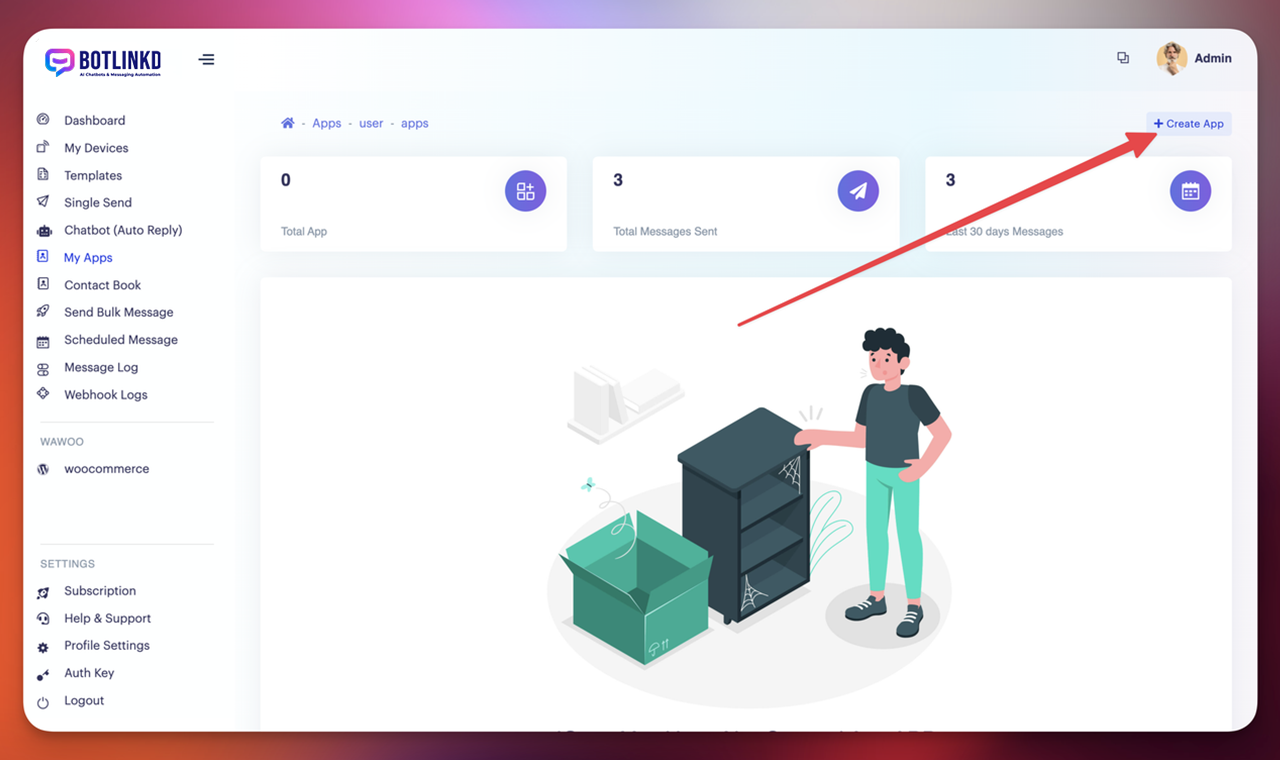
Click on "Create New App" to set up your WhatsApp integration.
2Install WA-MExpress WhatsApp Woo Plugin
Navigate to Userend → WooCommerce in your WA-MExpress dashboard.
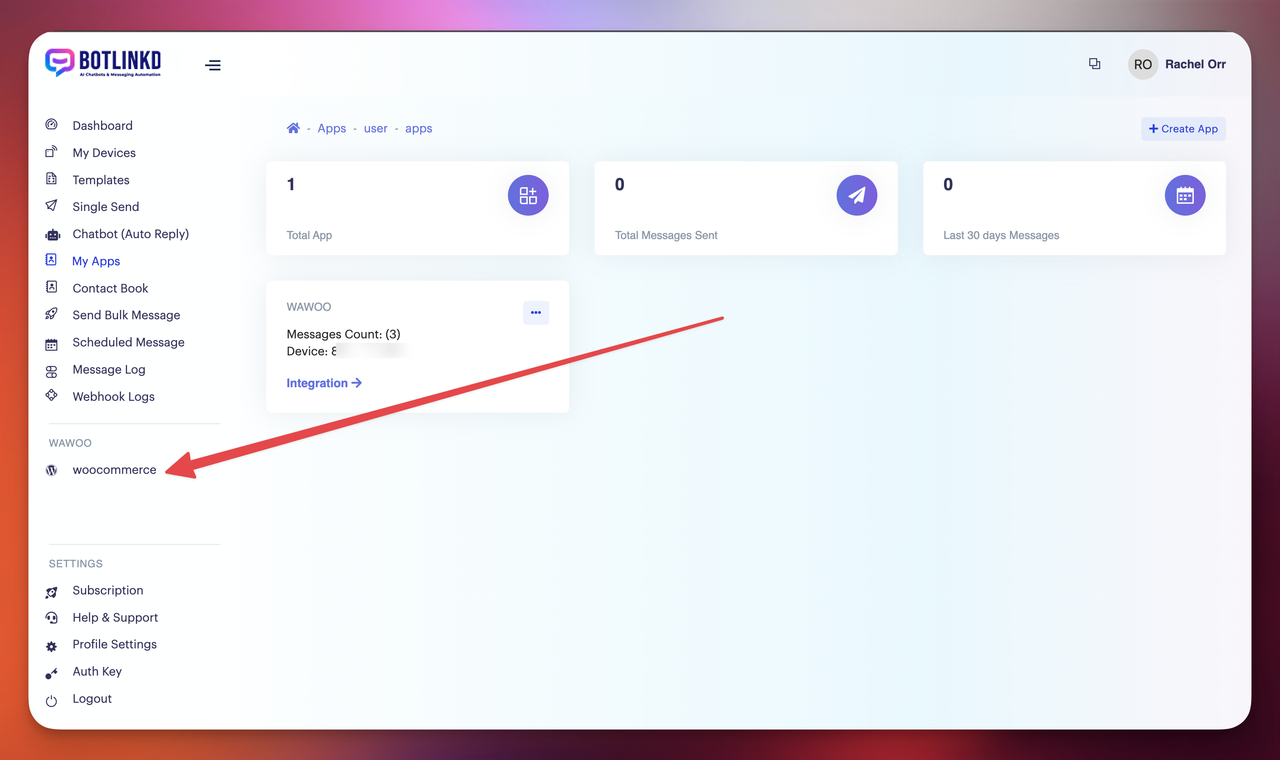
Click "Export Plugin" to download the WA-MExpress WhatsApp plugin.
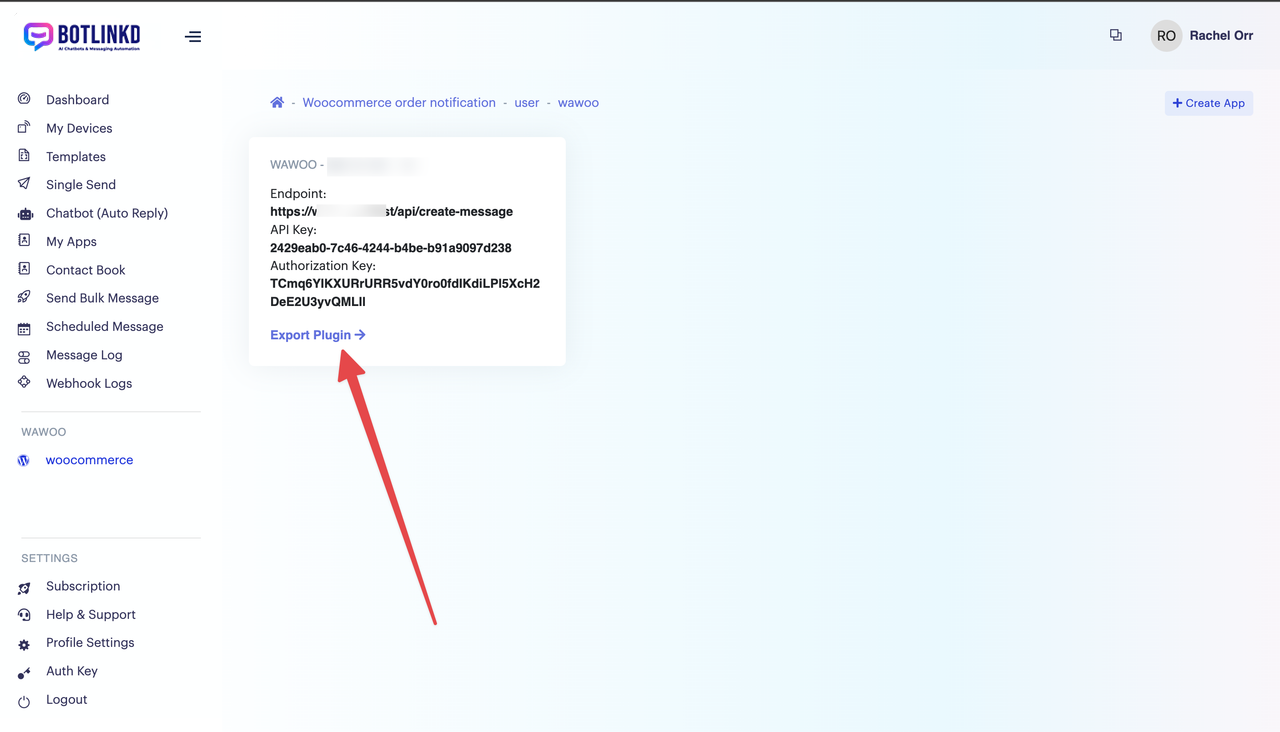
The plugin will download to your computer.
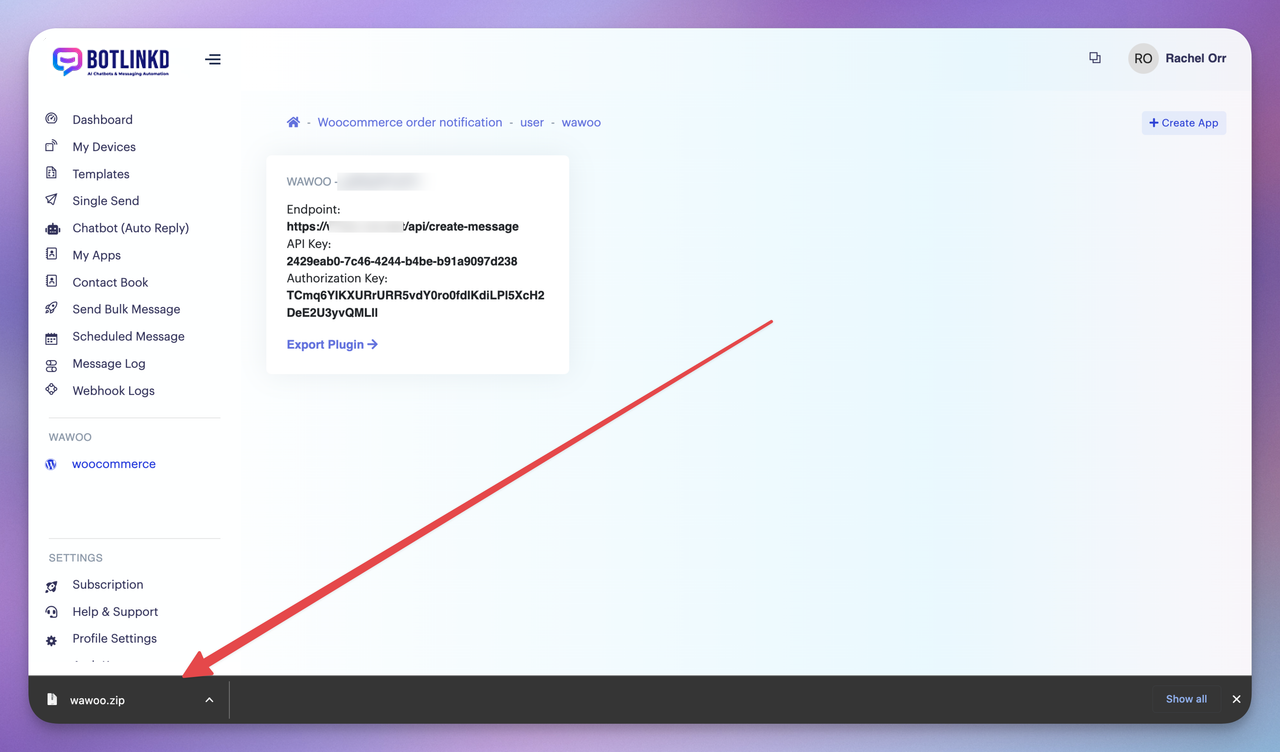
3Upload and Install Plugin to WordPress
In your WordPress admin panel, go to Plugins → Add New → Upload Plugin. Upload the WA-MExpress plugin file you downloaded.
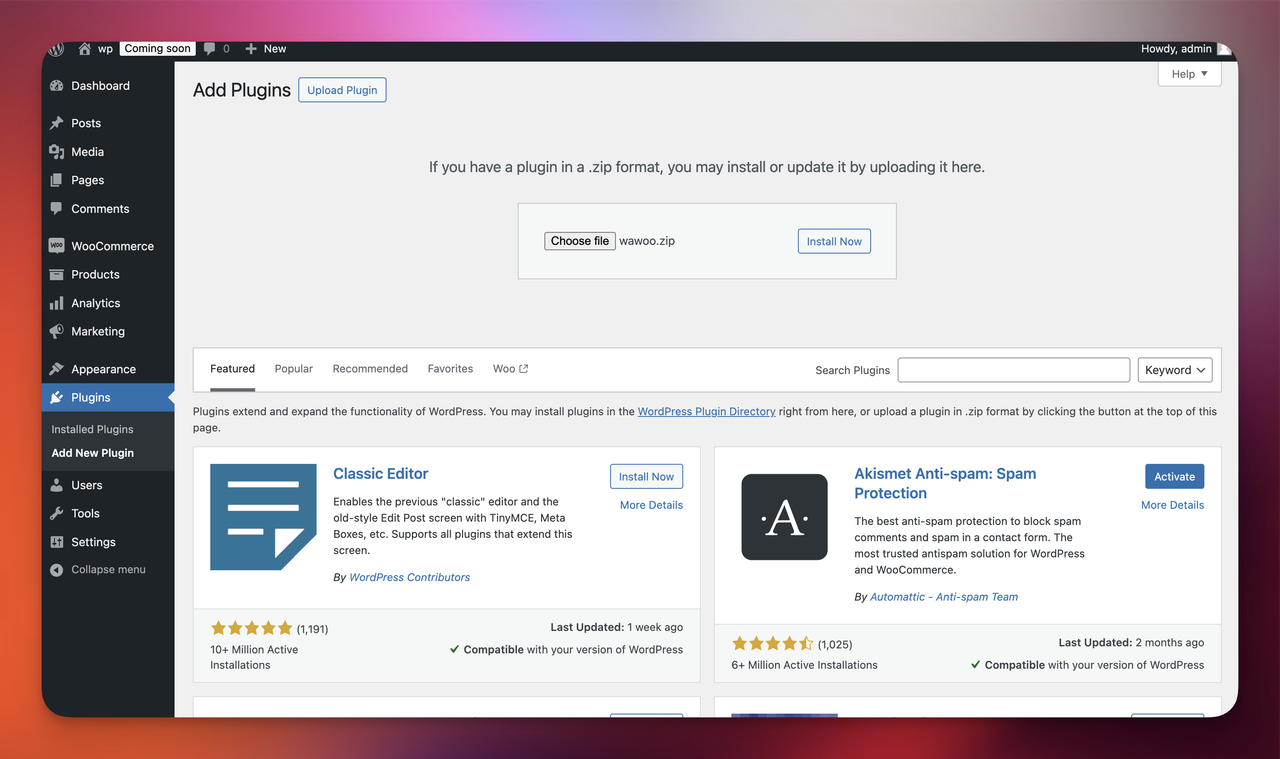
After successfully installing the plugin, activate it to continue setup.

4Configure the Plugin
Once activated, the WA-MExpress menu option will be visible in your WordPress admin sidebar.

Navigate to the WA-MExpress settings page and copy the API information from your WA-MExpress dashboard.
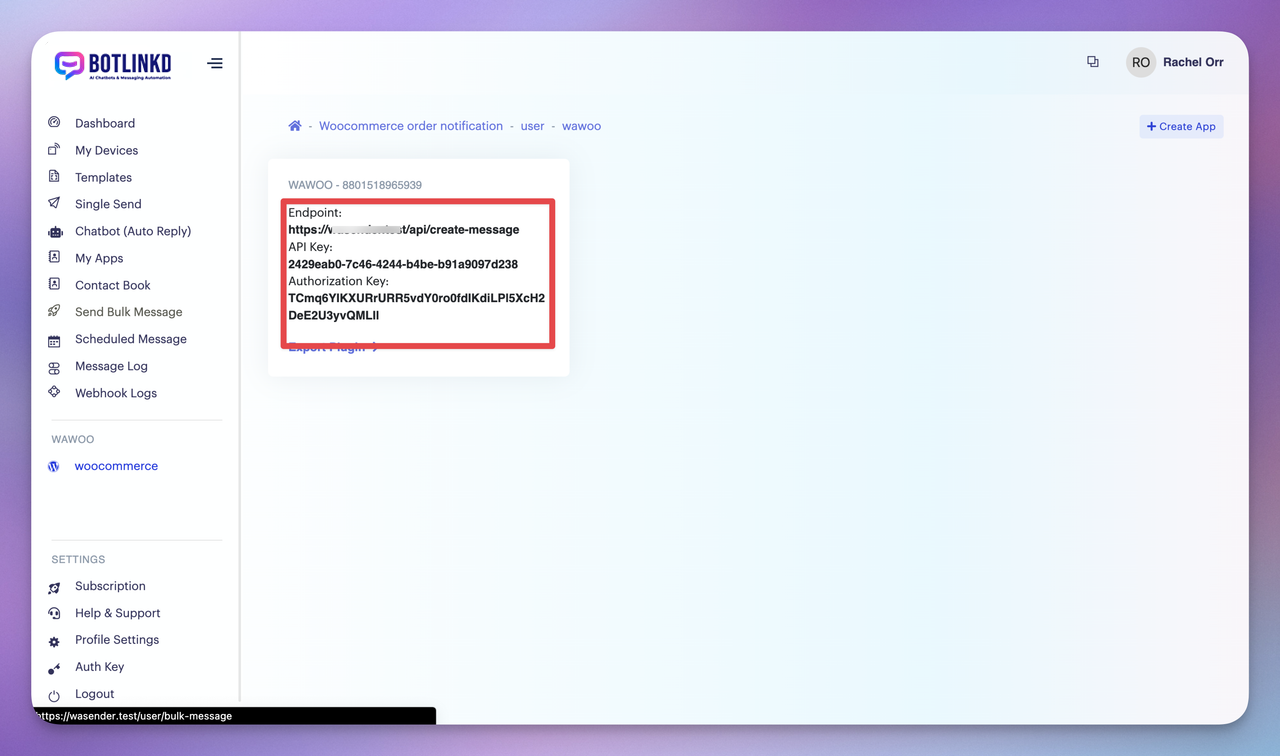
Set up the WA-MExpress WhatsApp API Key and other required information in your WordPress settings.
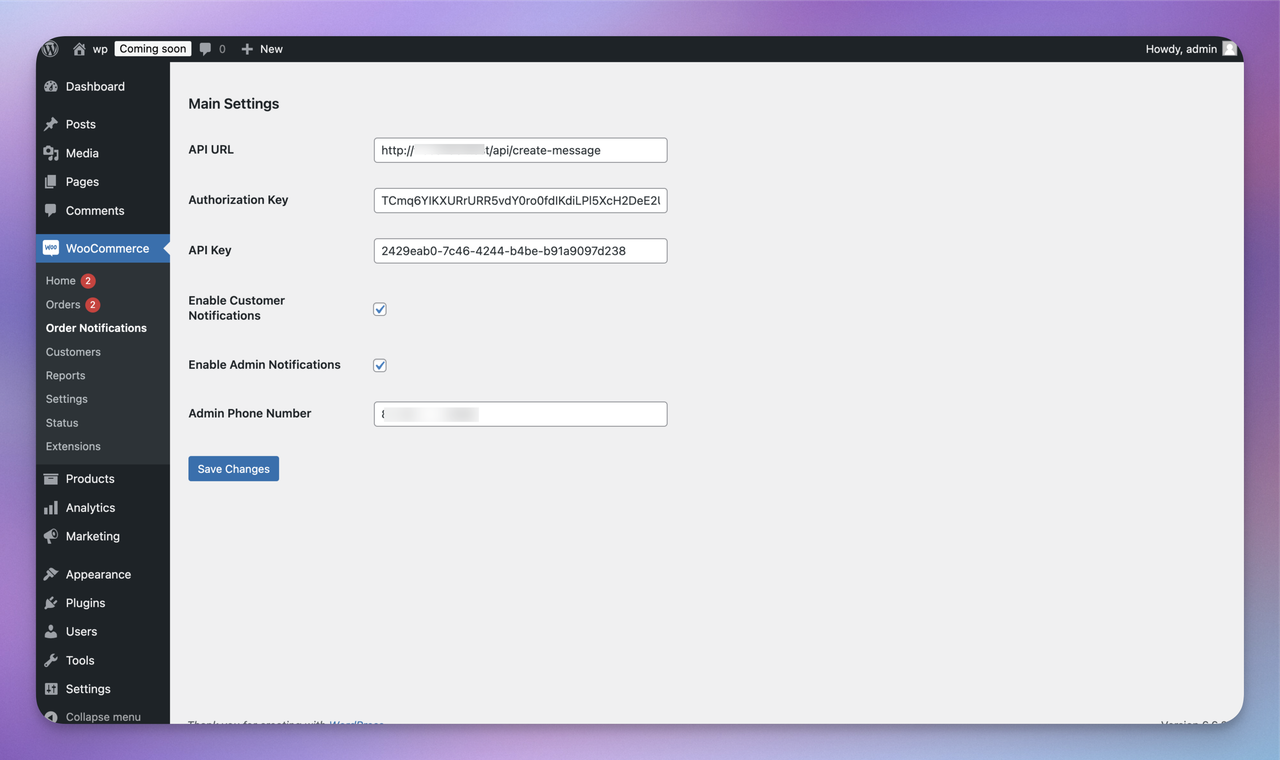
Note: Make sure to set the admin order receiver notification WhatsApp number with the full country code.